
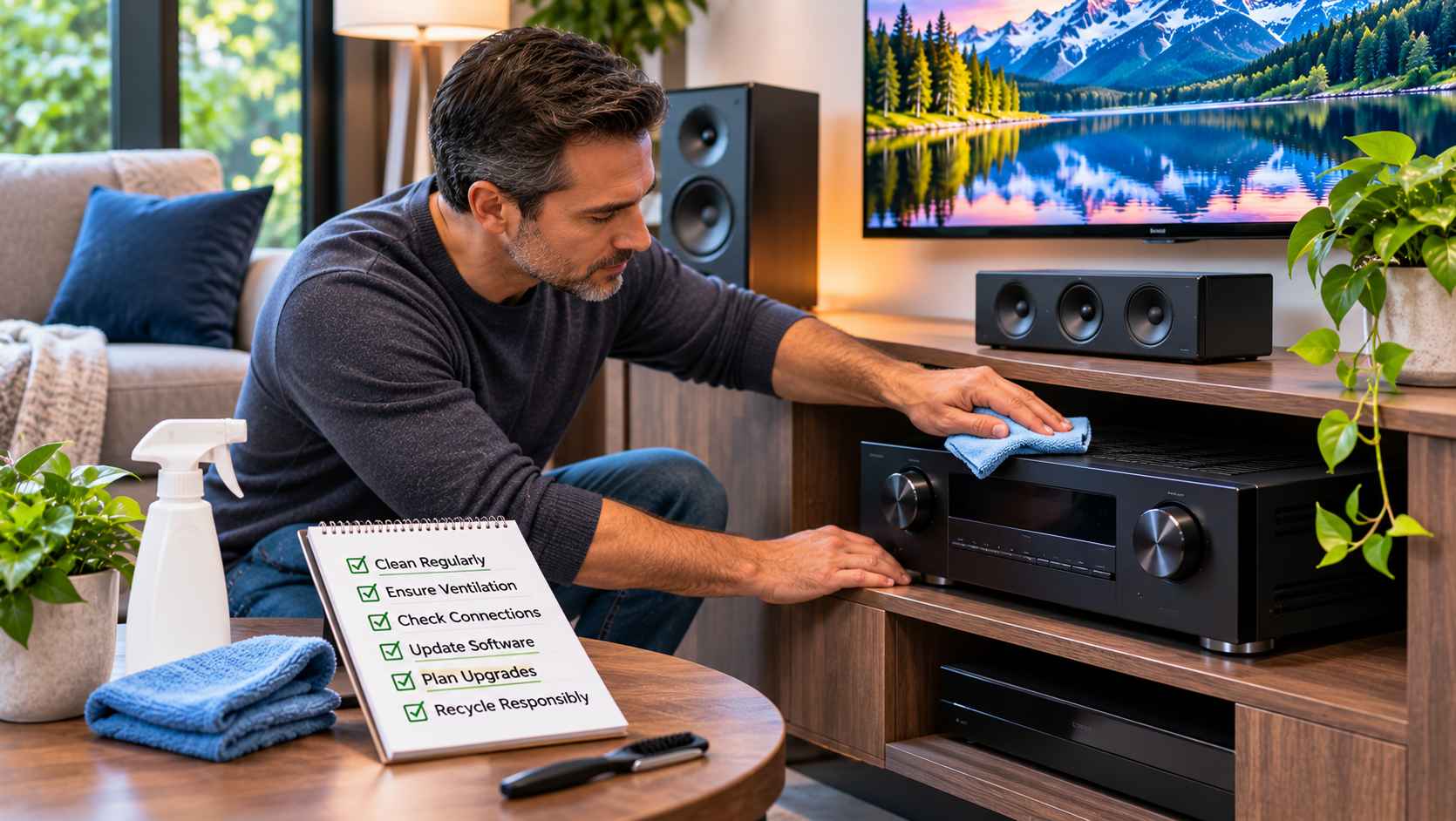
Home entertainment technology has become an important part of everyday life. Televisions, speakers, audio receivers, streaming devices, and gaming systems provide convenient access to music, movies, and digital entertainment.
However, as technology continues to evolve, homeowners may feel pressure to replace equipment whenever newer models become available.
In many cases, existing devices can continue serving their intended purpose with appropriate maintenance, careful installation, and sensible upgrades.
Understanding how to care for electronic equipment can help homeowners make informed purchasing decisions, reduce unnecessary replacements, and manage electronic waste more responsibly.
From maintaining proper ventilation to reviewing software compatibility, small habits can contribute to a more practical and sustainable approach to home entertainment.
Why Regular Electronics Maintenance Matters
Electronic devices contain components that operate under different electrical and environmental conditions.
Over time, dust accumulation, restricted airflow, damaged connections, and unsuitable placement may affect equipment performance.
For example, an audio receiver placed inside a tightly enclosed cabinet may struggle to release heat during operation.
Similarly, dust collecting around ventilation openings can restrict airflow.
Regular maintenance helps homeowners identify visible concerns before they become more complicated.
However, maintenance does not prevent every equipment failure. Components can deteriorate or malfunction even when devices are properly maintained.
The goal is to provide suitable operating conditions while recognizing when professional servicing may be necessary.
How Dust and Heat Affect Home Entertainment Equipment
Dust is a common concern for electronic devices, particularly those with ventilation openings.
When dust accumulates around air vents, it may interfere with airflow and contribute to higher operating temperatures.
Heat management is especially important for amplifiers, receivers, gaming consoles, and other equipment that generates warmth during use.
Keep Ventilation Areas Clear
Avoid placing objects directly against ventilation openings.
Follow manufacturer recommendations for equipment spacing and airflow.
Devices should not be stacked unless their design and installation requirements allow it.
Clean External Surfaces Carefully
Use suitable cleaning materials recommended by the manufacturer.
Before cleaning, follow the device’s instructions regarding powering down or disconnecting equipment.
Avoid allowing moisture to enter openings, and never dismantle electronic equipment simply to remove internal dust.
Internal cleaning or electrical repairs should be left to appropriately qualified technicians.
Choosing Suitable Equipment Placement
Where entertainment equipment is installed can influence both its appearance and long-term operation.
A television mounted above a heat-producing fireplace, for example, may require additional consideration regarding temperature exposure and manufacturer installation guidance.
Similarly, speakers should be positioned where they are stable and protected from accidental damage.
Homeowners should consider ventilation, accessibility, and cable management when arranging equipment.
Entertainment cabinets should provide sufficient space for connections and appropriate airflow.
Equipment should also remain accessible for maintenance and troubleshooting.
A visually attractive installation is useful, but it should never compromise safe operation.
Why Cables and Connections Deserve Attention
Cables are essential components of home entertainment systems.
HDMI cables, speaker wiring, network connections, and power cables allow devices to communicate and operate as intended.
However, unsuitable or damaged connections can cause interruptions.
A loose HDMI connection may result in temporary picture loss, while damaged speaker wiring can create performance or safety concerns.
Homeowners should periodically inspect accessible cables for visible wear, loose connections, or excessive bending.
It is important to use cables that meet the equipment’s requirements rather than assuming every cable supports the same functions.
Avoid forcing connectors into ports or repeatedly moving connected equipment without checking the wiring.
Damaged electrical cords should be replaced according to manufacturer guidance rather than repaired using temporary household methods.
The Importance of Software Updates and Compatibility
Modern entertainment equipment increasingly relies on software.
Smart televisions, streaming devices, networked speakers, and home automation systems may receive updates that address bugs, improve compatibility, or resolve security concerns.
Checking for manufacturer-supported updates can help devices continue functioning appropriately.
However, updates should come from trusted sources.
Homeowners should also understand that older devices may eventually stop receiving software support.
Before replacing equipment, consider whether a compatibility issue can be addressed through supported settings, updated applications, or an appropriate external component.
For example, a television with limited built-in streaming support may still function effectively as a display when connected to a compatible streaming device.
Replacing an entire system is not always necessary to access newer features.
Recognizing When Equipment Needs Repair or Replacement
Not every performance problem means a device has reached the end of its useful life.
A television that intermittently loses its picture may have a connection problem rather than a failed display.
Similarly, audio interruptions may result from incorrect settings, damaged cables, or network connectivity issues.
Basic troubleshooting can help identify simple concerns.
However, unusual smells, smoke, visible electrical damage, or signs of overheating should be treated seriously. Stop using affected equipment and seek qualified assistance.
When deciding whether to repair or replace a device, consider its condition, manufacturer support, availability of appropriate repairs, and compatibility with existing equipment.
Replacement may become reasonable when repairs are impractical, unsafe, or unavailable.
A careful evaluation helps avoid both unnecessary purchases and continued use of unsuitable equipment.
Planning Entertainment Systems Before Buying New Devices
One reason homeowners accumulate unnecessary electronics is purchasing equipment without considering how it will fit into an existing system.
A new television, receiver, or speaker arrangement may require different connections, equipment placement, or control options.
Planning ahead can help identify these requirements.
Homeowners considering home audio and video installation services may benefit from reviewing their existing devices, room layout, and entertainment preferences before investing in upgrades.
For example, someone upgrading their television may not need to replace their speakers if the existing audio system remains compatible.
Understanding which components can be retained encourages more intentional purchasing.
How Professional Installation Can Support Long-Term Use
Proper installation involves more than connecting devices and turning them on.
Equipment placement, ventilation, wiring arrangements, and configuration can influence how comfortably and reliably a system operates.
Professional installers may help homeowners organize components, evaluate compatibility, and establish practical control arrangements.
For homeowners in Ottawa and surrounding areas, Signature Audio Video offers residential audio/video equipment and installation solutions.
Professional assistance can be particularly useful when managing complex home theatre setups, multiple speakers, or integrated entertainment systems.
However, installation does not guarantee that equipment will never malfunction.
Long-term performance also depends on equipment quality, manufacturer support, maintenance, and operating conditions.
Responsible Electronics Recycling and Disposal
When electronics can no longer be repaired or reused, responsible disposal becomes important.
Electronic devices may contain materials that require specialized handling and components that can be recovered through appropriate recycling processes.
Discarding unwanted electronics with ordinary household garbage may not be suitable and can be restricted under local waste management rules.
The Government of Canada waste reduction and recycling resources provide information about waste management and reducing environmental impacts.
Homeowners can also check local municipal recycling programs and approved electronics collection services.
Before disposing of smart televisions, streaming devices, or other connected equipment, remove personal accounts and stored information according to manufacturer guidance.
Where equipment remains functional, donation or resale may be another option, provided the recipient can use it safely.
Practical Habits for Maintaining Entertainment Systems
A simple maintenance routine can help homeowners take better care of their equipment.
Useful habits include:
- Keep ventilation openings unobstructed: Allow appropriate airflow around electronic components.
- Clean equipment regularly: Follow manufacturer instructions for removing external dust.
- Inspect accessible connections: Check cables for damage or loose fittings.
- Review software updates: Install appropriate updates from trusted manufacturer sources.
- Protect equipment from unsuitable environments: Avoid excessive moisture, heat, and unstable placement.
- Evaluate before replacing: Determine whether a problem involves configuration, connectivity, or an actual equipment failure.
- Recycle responsibly: Use appropriate collection programs when equipment reaches the end of its useful life.
These habits are straightforward, but they should always follow the specific requirements of each device.
Conclusion: Making Technology Ownership More Sustainable
Home entertainment technology can provide years of enjoyment, but responsible ownership involves more than purchasing new equipment.
Proper ventilation, careful cleaning, suitable connections, software maintenance, and thoughtful installation can help homeowners maintain their existing systems.
When problems arise, evaluating repair options and compatibility before replacing devices can support more informed decisions.
Responsible recycling also helps address the environmental challenges associated with unwanted electronics.
Ultimately, making consumer electronics last longer is about balancing convenience, performance, safety, and sustainability.
By maintaining equipment carefully and upgrading only when there is a practical reason, homeowners can enjoy their entertainment systems while taking a more thoughtful approach to technology consumption.